UWorld polls allow instructors to directly engage with students and the question bank in a live setting. To begin using polls, build a template assignment following the instructions in our UWorld Question Bank for Faculty page.
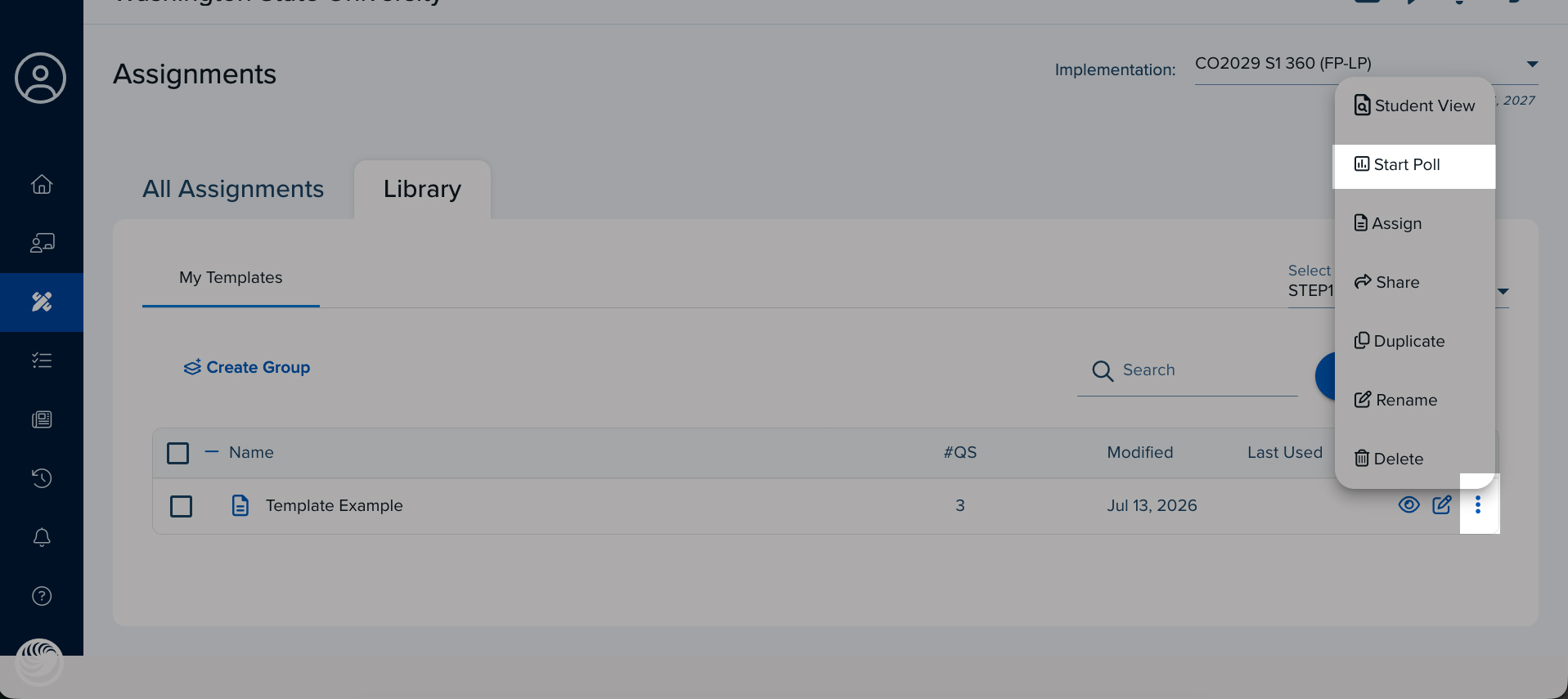
From the assignment template, click the Vertical ellipsis menu, and then click Start Poll.
Tap to enlarge.
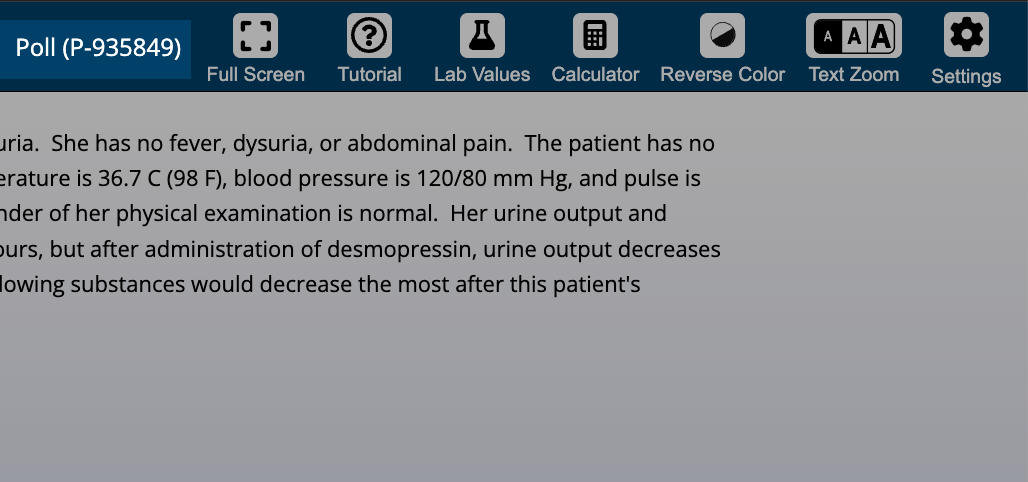
Once the Poll starts, a six-digit code is available along the top.
Tap to enlarge.
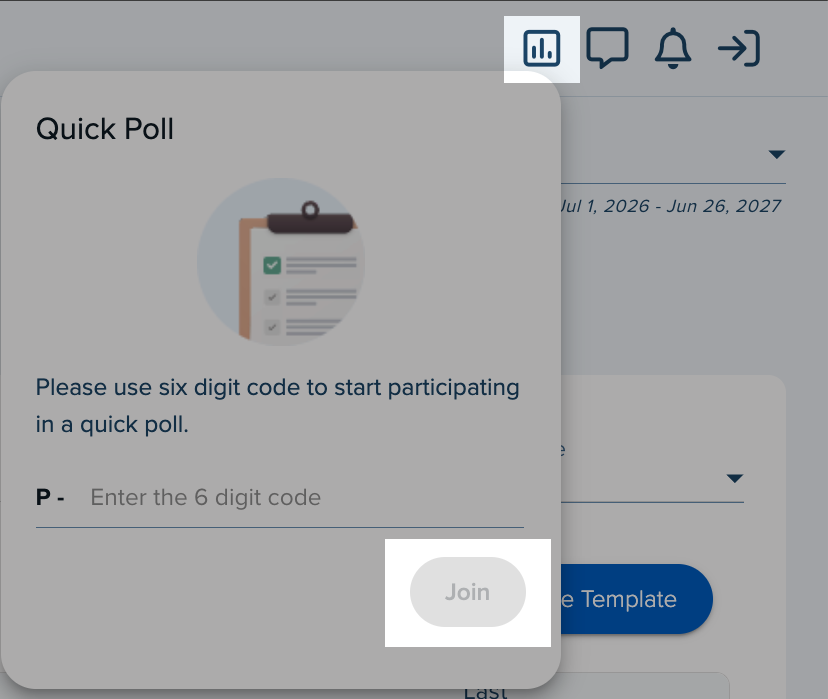
For students to participate, enter the six-digit code in your account, click the Poll icon in the upper-right corner, and then click Join.
Tap to enlarge.
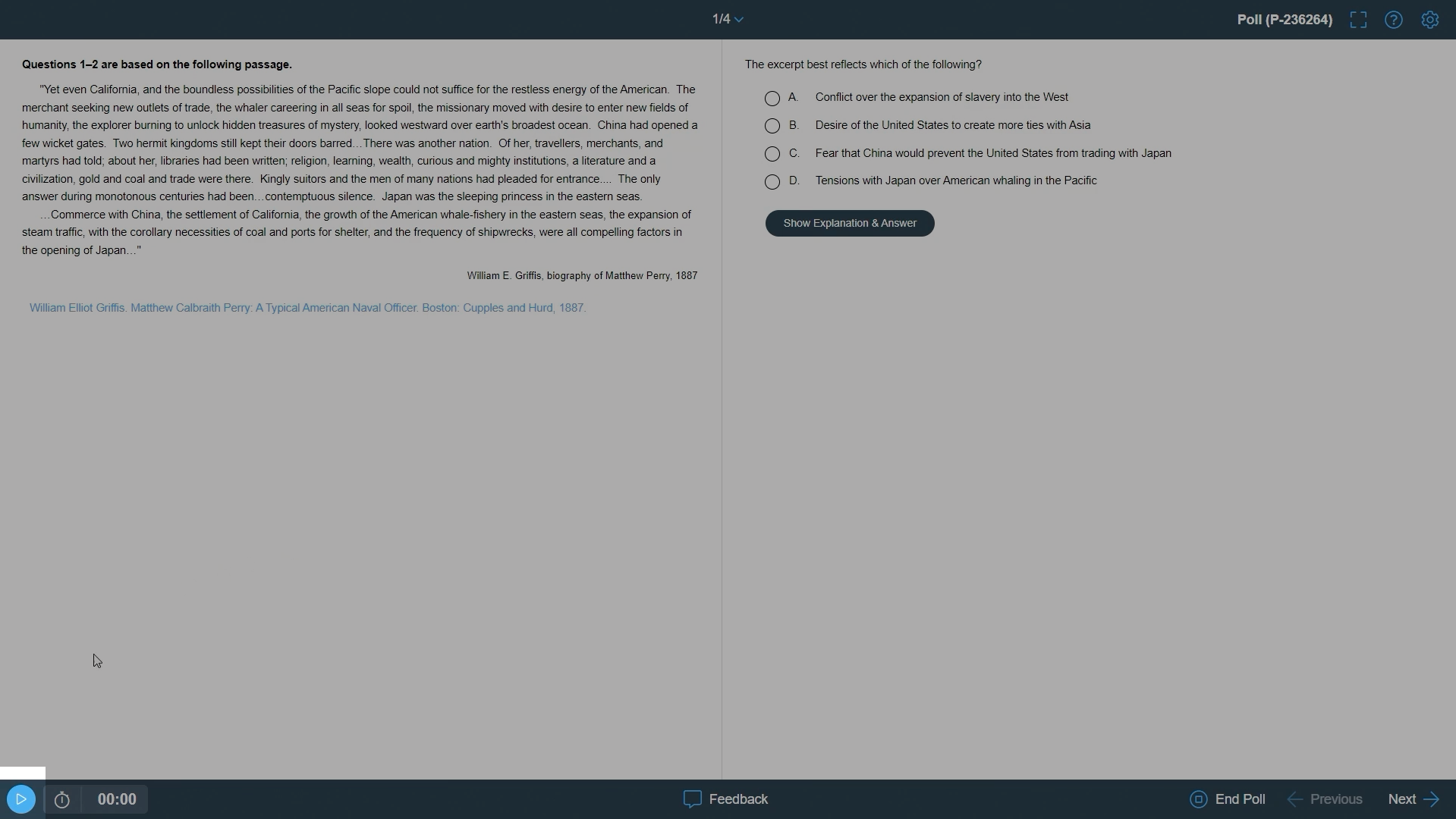
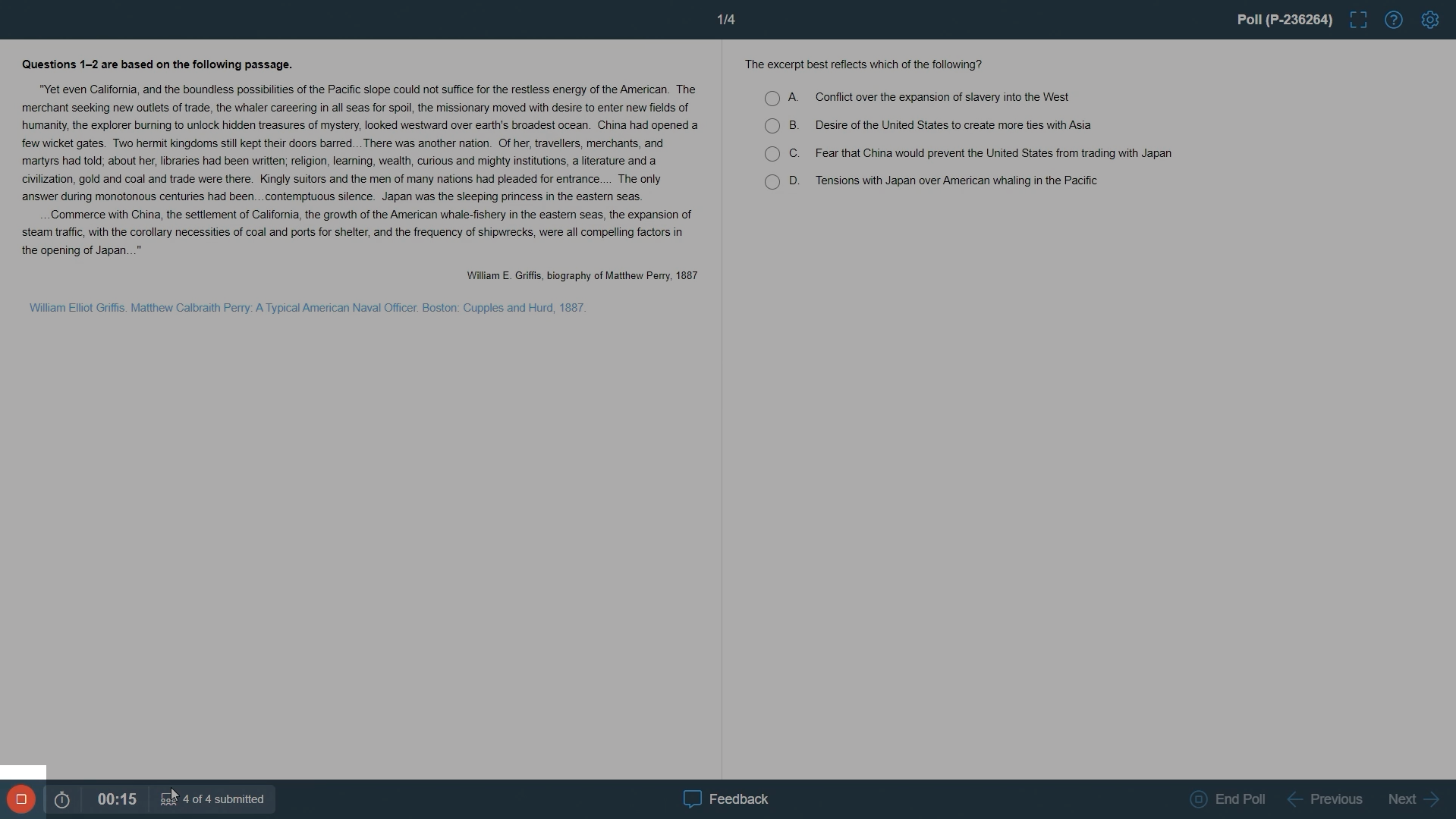
Click the Play button in the lower-left corner to begin the poll and respond. You cannot work ahead, and the poll will run through one question at a time.
Tap to enlarge.
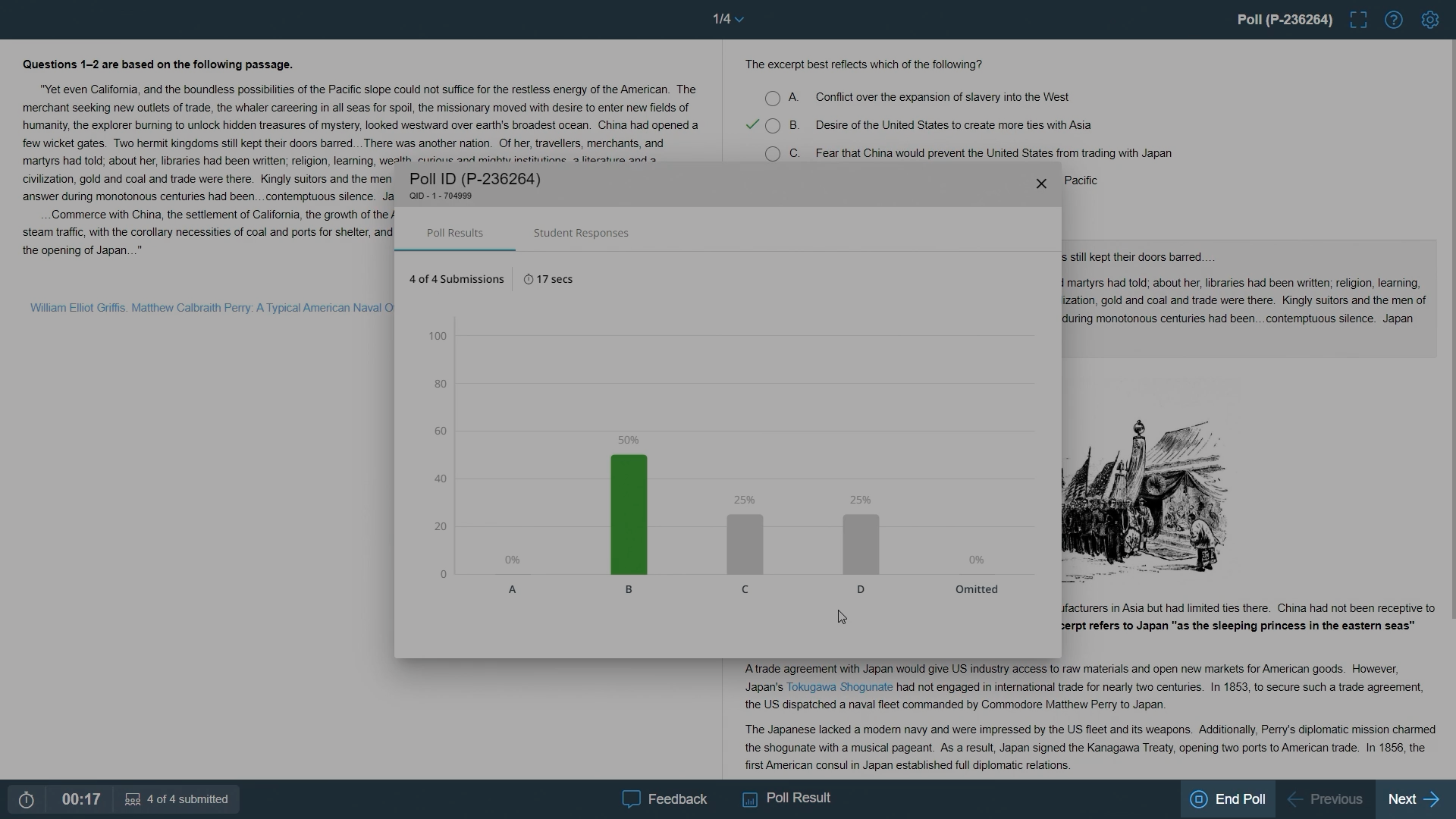
Once answers are entered, click the redStop button. Answers and explanations are immediately released to the students and the instructor. Students will not have access to a breakdown of how each individual answered.
Tap to enlarge.
Press the Next button in the lower-right corner to advance to the next question and repeat the process starting with the Play button.
Press End poll to complete the poll and exit out of it.
Tap to enlarge.
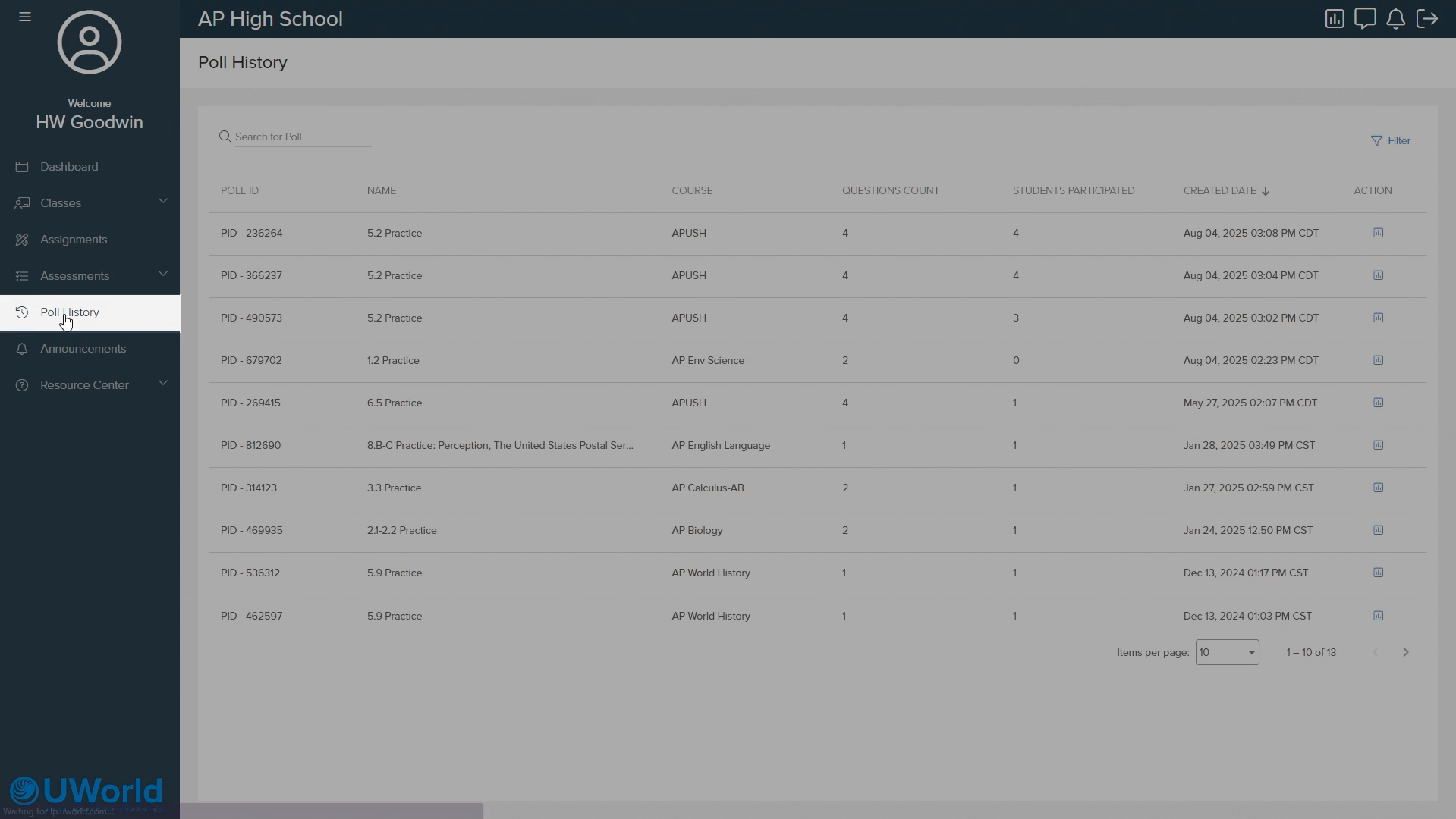
Poll History
A history of all previous polls can be found afterward through the Poll History menu accessed on the left-side menu.
Tap to enlarge.
If you need assistance, please click the button for support.